
If you’ve been learning about Kubernetes or OpenShift, you’ve probably heard a lot about containers.
But here’s a practical question:
What happens to all the virtual machines an organisation is already running?
Not every enterprise application can simply be moved into a container overnight. Many organisations still depend on virtual machines for applications, databases, legacy workloads and other critical systems.
This creates an interesting challenge. Companies want to adopt Kubernetes and cloud-native platforms without throwing away the virtual infrastructure they already depend on.
That’s where OpenShift Virtualization comes in.
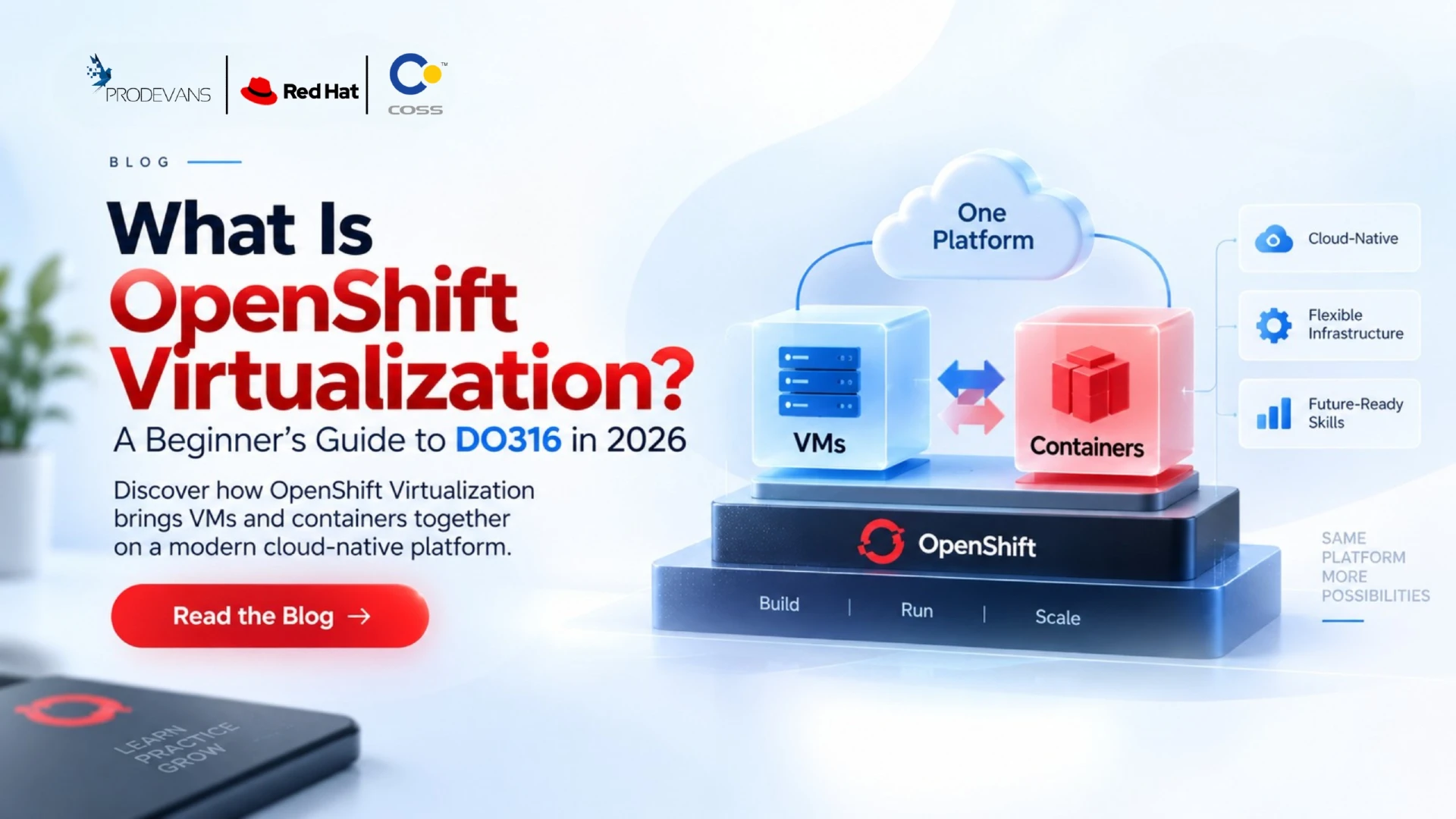
Red Hat OpenShift Virtualization allows organisations to run and manage virtual machines within OpenShift, alongside container workloads. In other words, teams can bring traditional VMs into the same platform where they are already managing Kubernetes and containerised applications.
For IT professionals, this creates a useful skill area at the intersection of virtualization, Kubernetes and OpenShift.
And for professionals who want hands-on experience managing VMs on OpenShift, DO316 — Red Hat OpenShift Virtualization Administration Rapid Track provides a focused learning path.
What Is OpenShift Virtualization?
At its simplest, OpenShift Virtualization is a capability within Red Hat OpenShift that allows organisations to create, run and manage virtual machines using the OpenShift platform.
Instead of treating virtual machines and containers as completely separate environments, OpenShift Virtualization allows both types of workloads to operate within the same OpenShift cluster.
Red Hat describes OpenShift Virtualization as providing enterprise virtualization functionality that can be used to manage VMs exclusively or alongside container workloads. VMs can be created and managed through the OpenShift web console and command-line tools.
That means an organisation could have:
Virtual machines + containers + Kubernetes resources
being managed through one OpenShift environment.
For someone coming from a traditional virtualization background, this can provide a way to start working with Kubernetes-based infrastructure without immediately abandoning the concepts they already understand.
Why Do Organisations Need Virtual Machines and Containers Together?
The move toward containers doesn’t mean virtual machines have suddenly become irrelevant.
Many enterprises have years of investment in virtualized infrastructure.
They may have:
- Existing Windows or Linux VMs
- Legacy applications
- Enterprise databases
- Applications that aren’t ready for containerization
- Existing virtualization teams and processes
- Workloads that need to remain virtualized
At the same time, those organisations may also be adopting Kubernetes and cloud-native applications.
So instead of asking:
“VMs or containers?”
the more practical question can be:
“How do we manage both effectively?”
OpenShift Virtualization provides one approach.
Red Hat’s documentation specifically supports running pod and VM workloads alongside one another in an OpenShift cluster. It also provides capabilities for creating and managing Linux and Windows VMs, connecting to them, importing and cloning existing VMs, managing networking and storage, and live migrating VMs between nodes.
How Does OpenShift Virtualization Work?
If you’re new to the concept, think of OpenShift as the platform and OpenShift Virtualization as the capability that brings VM management into that platform.
OpenShift Virtualization uses Kubernetes custom resources to represent virtualization-related tasks.
This means administrators can use OpenShift concepts and tools while managing virtual machines.
For example, administrators can work with:
- Virtual machines
- VM templates
- Storage resources
- Networking resources
- Instance types
- Snapshots
- Migration
- Monitoring
- Workload placement
The OpenShift web console provides a Virtualization perspective for managing virtualization resources, while command-line tools can also be used.
This is where VM Management on Kubernetes becomes an important concept.
You’re not simply managing a traditional hypervisor anymore.
You’re managing virtual machines through a Kubernetes-based platform.
What Can You Do With OpenShift Virtual Machines?
OpenShift Virtualization covers much more than simply creating a VM.
A professional working with the platform may need to understand the complete lifecycle of a virtual machine.
Create Virtual Machines
You can create VMs using available images, templates and instance types.
Configure Virtual Machines
VMs require CPU, memory, storage, networking and other configuration resources.
Access Virtual Machines
OpenShift Virtualization provides different ways to connect to and interact with VMs, including console and command-line options.
Monitor Virtual Machines
Administrators need to understand VM health, resource consumption and operational status.
Manage Storage
Virtual machines depend heavily on persistent storage for their disks and workloads.
Configure Networking
VMs may need to communicate with other workloads inside the cluster as well as services and systems outside the cluster.
Migrate Virtual Machines
Existing VMs can be imported or migrated into OpenShift Virtualization. Red Hat’s Migration Toolkit for Virtualization supports migration from platforms such as VMware vSphere, Red Hat OpenStack Platform, Red Hat Virtualization and other OpenShift clusters.
OpenShift Virtualization: Networking and Storage
Two areas become particularly important when managing virtual machines:
Networking and storage.
A VM isn’t useful if it can’t communicate with the systems it needs to access.
OpenShift Virtualization supports networking configurations for VMs, including connections to external networks. Red Hat documentation also covers network interfaces, storage disks and different network plugin options.
Storage is equally important.
Virtual machines need persistent disks, and administrators need to understand how storage resources are presented and managed through Kubernetes and OpenShift.
This makes OpenShift Virtualization particularly interesting for professionals who want to move beyond basic VM administration and understand how virtualization fits into a broader Kubernetes platform.
What Is DO316?
DO316 is the Red Hat OpenShift Virtualization Administration Rapid Track course.
What Do You Learn in DO316?
The course covers the areas professionals need when working with virtual machines on OpenShift.
1. OpenShift Virtualization
You begin by understanding OpenShift Virtualization and deploying the virtualization operator in an existing OpenShift environment.
2. Creating and Managing Virtual Machines
You learn how to create, access, manage and monitor VMs.
3. VM Networking
The course covers Kubernetes networking resources and external access for virtual machines.
4. External Network Connectivity
VMs sometimes need to communicate with networks outside the OpenShift cluster.
DO316 covers approaches for connecting VMs and nodes to external networks, including technologies such as Multus CNI and the NMState operator.
5. VM Storage
You learn how storage and disks are managed for virtual machines through Kubernetes.
6. Backups and Snapshots
Virtual machine data needs protection.
DO316 includes concepts around VM snapshots and backup using OpenShift APIs for Data Protection (OADP).
7. Templates, Clones and Instance Types
Instead of configuring every VM from scratch, administrators can use templates, clones and instance types to standardize provisioning.
8. Advanced VM Management
This includes areas such as workload placement, VM health monitoring, importing VMs and live migration.
9. High Availability
DO316 also introduces approaches for making virtual machines resilient to failures, planned maintenance and cluster upgrades.
Who Should Consider DO316?
DO316 is particularly relevant for professionals who already work with infrastructure, virtualization or OpenShift environments.
Potential audiences include:
- Virtual Machine Administrators
- Kubernetes Administrators
- OpenShift Administrators
- System Administrators
- Cloud Administrators
- Cloud Engineers
- Platform Engineers
- Site Reliability Engineers
- Infrastructure Professionals
Red Hat’s current course positioning specifically identifies VM administrators moving workloads from traditional hypervisors, Kubernetes administrators supporting both virtualized and containerized workloads, and SREs interested in managing VMs through GitOps and Ansible Automation as relevant audiences.
Do You Need Kubernetes Experience Before DO316?
This is an important question for beginners.
The answer depends on the specific course version and your background.
The current DO316 Rapid Track is designed for professionals with OpenShift administration experience, and Red Hat training information recommends relevant OpenShift knowledge.
So if you’re completely new to OpenShift and Kubernetes, jumping directly into advanced VM management may not be the easiest route.
A stronger foundation can be:
Linux → OpenShift/Kubernetes fundamentals → OpenShift Administration → OpenShift Virtualization → DO316
For professionals who already have OpenShift administration experience, DO316 can provide a more focused route into VM management.
OpenShift Virtualization and Certification
Learning and certification are two different things.
DO316 is a training course.
The associated certification is the Red Hat Certified Specialist in OpenShift Virtualization, earned through the EX316 exam.
The EX316 exam tests the ability to plan, deploy and manage virtual machines using the Red Hat OpenShift Virtualisation operator in an OpenShift environment. The current exam information is based on OpenShift Container Platform 4.18.
Red Hat also states that passing EX316 earns the Red Hat Certified Specialist in OpenShift Virtualisation credential, which counts toward the Red Hat Certified Architect (RHCA) certification. The exact preparation path can vary based on existing experience.
Why Learn OpenShift Virtualisation in 2026?
The interesting part about OpenShift Virtualisation isn’t simply that it allows VMs to run on OpenShift.
Organisations don’t always modernise by replacing everything at once.
Instead, they may have to manage existing virtual machines while gradually adopting containers, Kubernetes and cloud-native application platforms.
Red Hat has continued to invest in migration, networking, storage, data protection and the experience of managing virtualised workloads on OpenShift.
For IT professionals, this creates a useful intersection of skills.
Someone who understands only traditional virtualization may need to learn Kubernetes concepts.
Someone coming from Kubernetes may benefit from understanding how virtual machines are managed.
And someone working in OpenShift administration can add another specialization by learning virtualization.
OpenShift Virtualization Career Opportunities
OpenShift Virtualization doesn’t represent one specific job title.
Instead, it can add a useful skill set to several infrastructure and platform roles.
Virtualization Administrator
Manage and modernize VM workloads while exploring OpenShift-based virtualization.
OpenShift Administrator
Expand OpenShift skills into virtual machine management, networking, storage and workload placement.
Cloud Engineer
Work with infrastructure where virtual machines and containerized applications coexist.
Platform Engineer
Build and manage platforms that support different types of workloads.
Infrastructure Engineer
Work across virtualization, networking, storage and enterprise infrastructure.
Site Reliability Engineer
Support reliable VM workloads and platform operations using automation and Kubernetes-based tooling.
The certification audience identified by Red Hat includes SREs, cluster engineers, systems administrators, cloud administrators and cloud engineers working with production-grade VMs on OpenShift.
Why Hands-On OpenShift Virtualisation Training Matters
OpenShift Virtualisation is not a technology you fully understand by memorising terminology.
You need to actually work with virtual machines.
You need to see what happens when:
- A VM is created
- Storage is attached
- Networking is configured
- A VM is migrated
- A workload is moved between nodes
- A VM needs to be backed up
- A VM encounters a resource or health issue
That’s why practical training matters.
The Red Hat learning material itself emphasizes hands-on skills around VM creation, management, networking, storage, high availability and migration.
For someone considering OpenShift Virtualization Training, the goal should therefore be more than completing a course.
The goal should be to understand how virtual machines behave inside a Kubernetes-based platform.
Frequently Asked Questions
1. What is OpenShift Virtualization?
OpenShift Virtualization is a capability within Red Hat OpenShift that allows organisations to create and manage virtual machines alongside container workloads on an OpenShift platform.
2. Is OpenShift Virtualization the same as Kubernetes?
Not exactly. OpenShift Virtualization adds virtualization capabilities to the OpenShift platform, allowing virtual machines to be managed using Kubernetes-based resources and OpenShift tools.
3. What is DO316?
DO316 is the Red Hat OpenShift Virtualization Administration Rapid Track course, focused on creating and managing virtual machines on OpenShift.
4. What version is the current DO316 course based on?
The current DO316 Rapid Track course is based on Red Hat OpenShift Virtualization 4.18.
5. What does DO316 teach?
DO316 covers areas including VM creation and management, networking, storage, monitoring, backups, templates, clones, workload placement, migration and high availability.
6. Who should take DO316?
It can be relevant to VM administrators, OpenShift and Kubernetes administrators, cloud professionals, infrastructure engineers, platform engineers and SREs.
7. Is DO316 a certification?
No. DO316 is a training course. The related certification is the Red Hat Certified Specialist in OpenShift Virtualization, earned through the EX316 exam.